
01
Record or import
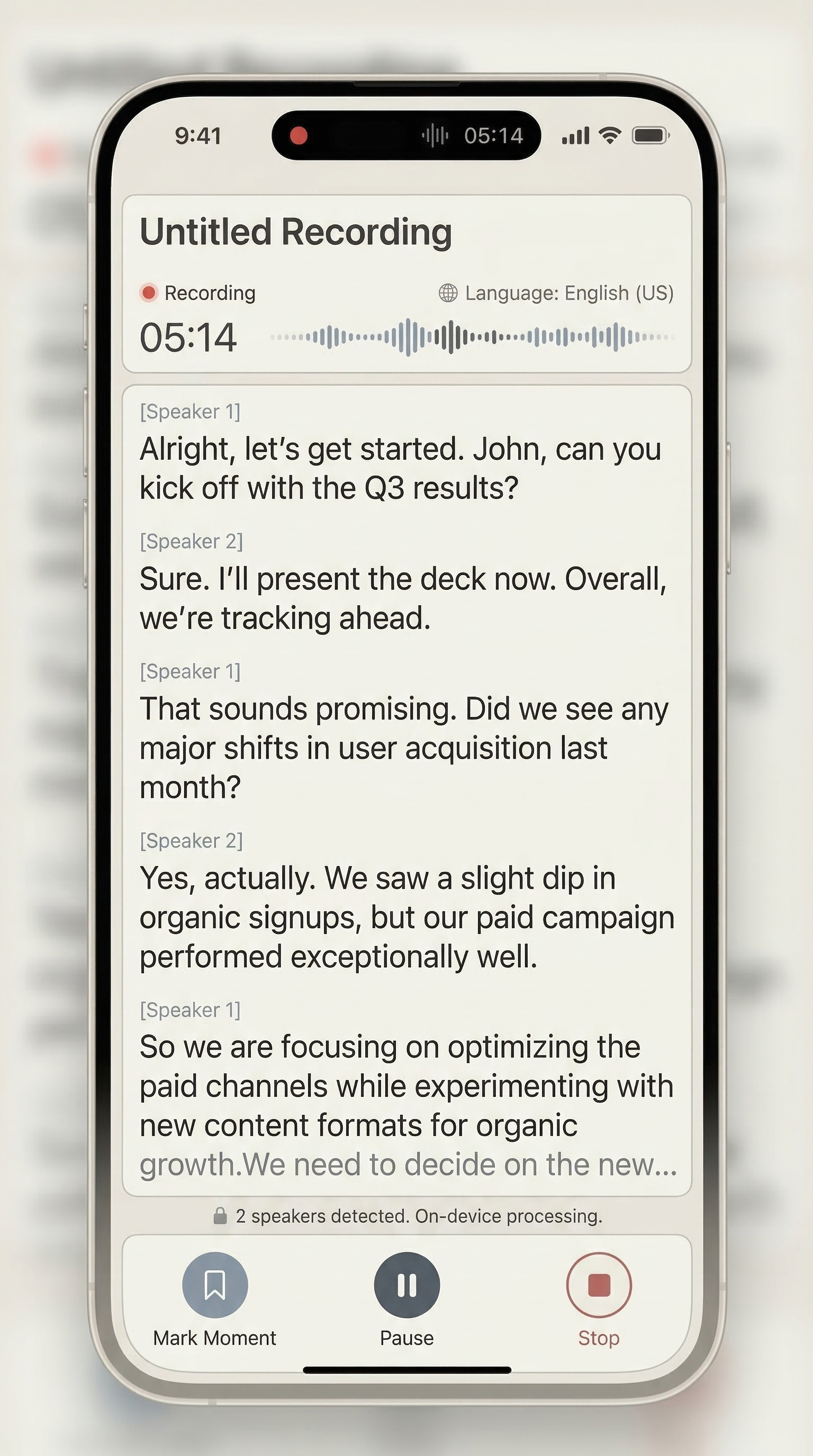
Start a live interview session or import an existing file from Files or the share sheet.
Interview transcription
Record a live interview or import an existing audio file, then use HushNote to review the transcript, summary, and important moments in one place.
Core topics
Designed for sensitive conversations.
Interviews can include customer details, research context, or private stories. Recording and transcription stay local by default; cloud features are used only when you configure and choose them.
Built for
Useful for user researchers, journalists, podcast creators, consultants, and founders who need to turn long conversations into structured material.
Workflow
Use HushNote to record or import interviews, generate transcripts, summarize key points, and organize interview notes on iPhone.
01
Start a live interview session or import an existing file from Files or the share sheet.
02
Turn the conversation into readable text so names, topics, and quotes are easier to find.
03
Use summary, moments, notes, and captures to locate the passages worth revisiting.
04
Export the result for research notes, article drafts, podcast notes, or client follow-up.
Why it helps
A long recording can hide the material you actually need. HushNote keeps the review layer close to the transcript and original audio.
Record without an account
On-device transcription
Cloud features are optional
Get started
Record or import audio, then try transcription, summaries, key moments, and export.