
01
Capture the voice note
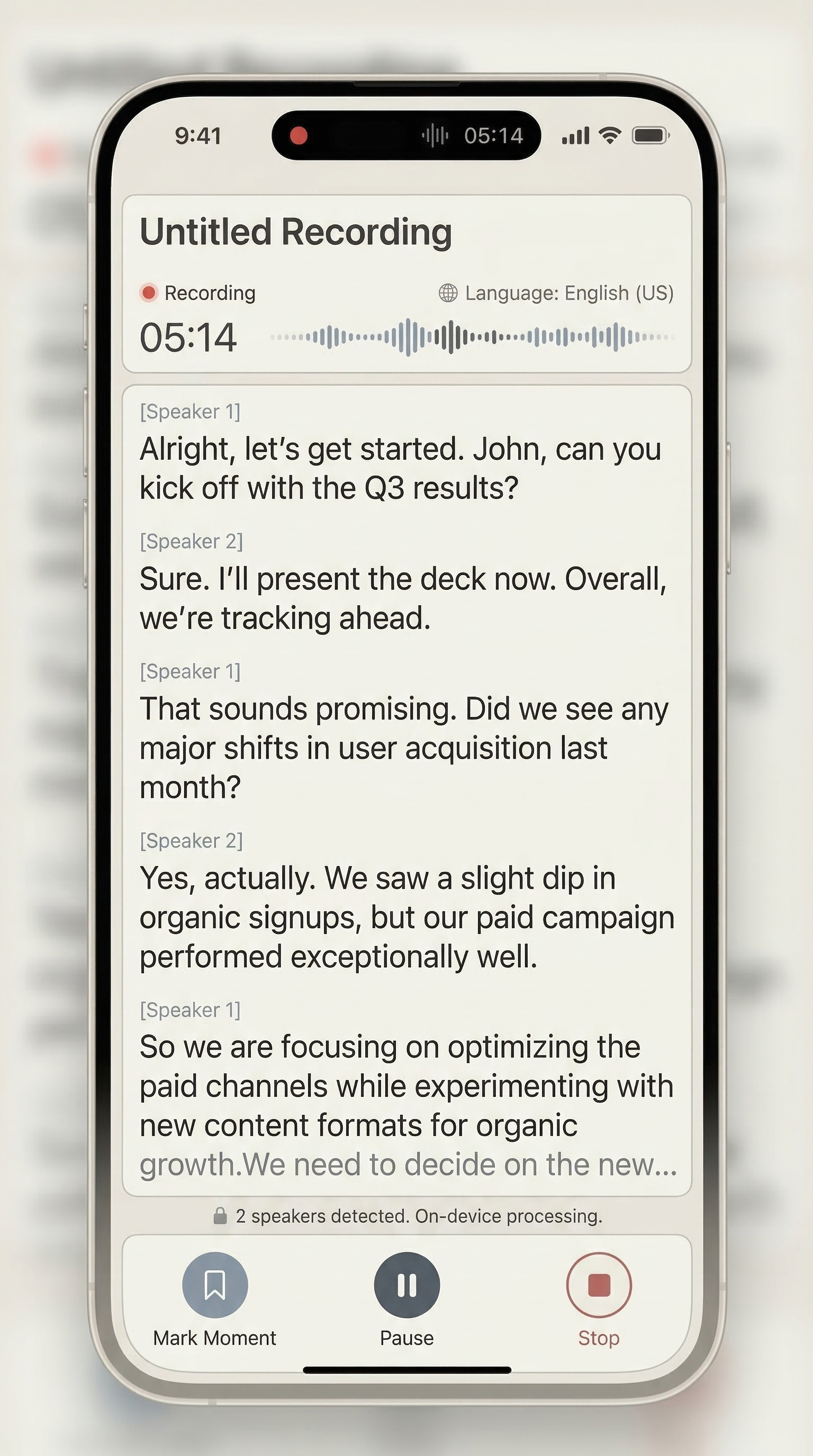
Start recording quickly when a thought, class, or discussion is worth keeping.
Local-first voice notes
HushNote turns voice recordings into transcripts, summaries, key moments, and exportable sessions while keeping the default workflow local-first and account-free.
Core topics
Local-first is the default posture.
HushNote runs normal recording, live transcription, and review on your iPhone. Cloud summaries and cloud Ask HushNote are explicit configuration paths, not default requirements.
Built for
Useful for classes, personal reflections, solo thinking, work notes, and private recordings that should be searchable and easier to revisit.
Workflow
HushNote is a local-first voice note app for iPhone that records, transcribes, summarizes, and organizes private voice content.
01
Start recording quickly when a thought, class, or discussion is worth keeping.
02
Convert speech into readable text for search, scanning, and follow-up.
03
Use local summaries when possible to make long recordings easier to revisit.
04
Store transcript, summary, key moments, notes, captures, and audio in one session.
Positioning
HushNote stays focused on the recording-to-review path: capture audio, turn it into text, summarize it, and return to the result later.
Local-first
No account required
Explicit cloud provider setup
Get started
Record or import audio, then try transcription, summaries, key moments, and export.